If you’ve following my posts for a while, I’ve been trying to get Remote Desktop on Linux working for me for a VERY long time now. The main thing that was holding me back from making a full switch was that I needed to remote into my Work Laptop from my Desktop when I was working from home. The day has come. I can now use Remote Desktop WebAuth on Linux!
Huge shoutout to the hard working folks over on the FreeRDP GitHub with this project!
FreeRDP Nightly
While my last article shows that I’ve largely stopped trying because there just didn’t seem to be an indicate that this was built yet, someone had pointed out that it was actually built in the Nightly beta builds from FreeRDP.
When I saw this, I was so excited but at the time, didn’t have the ability to figure this out and setup on my Linux desktop to confirm that this was the case. I’ve now been able to set this up, and have the process for you to do it to. IT WORKS!*
*with some…
Caveats
There’s some things to know when going down this route that it’s not out of the box, and requires the Terminal to get this working.
So, if you’re not familiar with this, then maybe wait until it becomes in the stable and package releases.
Installation
Here’s the process I’ve built for installing the dependencies and compiling from source to get this working. This has been done on Linux Mint 22 so if you’re using another distro, your mileage may vary.
Install Dependencies
First, lets make sure the necessary dependencies are installed.
sudo apt updatesudo apt install -y build-essential cmake ninja-build git pkg-configsudo apt install -y \
libssl-dev libx11-dev libxext-dev libxinerama-dev libxcursor-dev \
libxkbfile-dev libxrandr-dev libxi-dev libxrender-dev \
libpulse-dev libasound2-dev libcups2-dev \
libwayland-dev libxv-dev libxdamage-dev \
libavcodec-dev libavutil-dev libswscale-dev \
libusb-1.0-0-dev libpcsclite-dev \
libcjson-dev libwebkit2gtk-4.1-dev \
libsystemd-dev libfuse3-dev libkrb5-dev libv4l-devDownload the Build from Git
git clone https://github.com/FreeRDP/FreeRDP.git
cd FreeRDP
git submodule update --init --recursive
Compile Build
In the Compile we’re saying to enable the essentials for this to work like DWITH_AAD=ON & DWITH_WEBVIEW=ON to allow for AzureAD WebAuth and DCHANNEL_RDPECAM_CLIENT=ON to enable RDP WebCam Redirection.
cmake -B build -S . -GNinja \
-DCMAKE_BUILD_TYPE=Release \
-DWITH_WEBVIEW=ON \
-DWITH_AAD=ON \
-DWITH_CJSON=ON \
-DWITH_OPENSSL=ON \
-DWITH_PULSE=ON \
-DCHANNEL_RDPECAM_CLIENT=ON \
-DWITH_X11=ON
Build & Install
cmake --build build -j$(nproc)
sudo cmake --install build
Verify Install
xfreerdp /buildconfig | grep -i webviewConnecting to Server or PC
This is the command I’ve used to connect to my PC that you can use and adjust depending on your requirements.
xfreerdp /sec:aad /cert:ignore /u:<Email Address> /dynamic-resolution /audio-mode:server /v:<Device Hostname>For my case, I’m enabling the use of Audio from the device itself, not redirecting the Audio, but you can change this to /audio-mode:redirect if you need that.
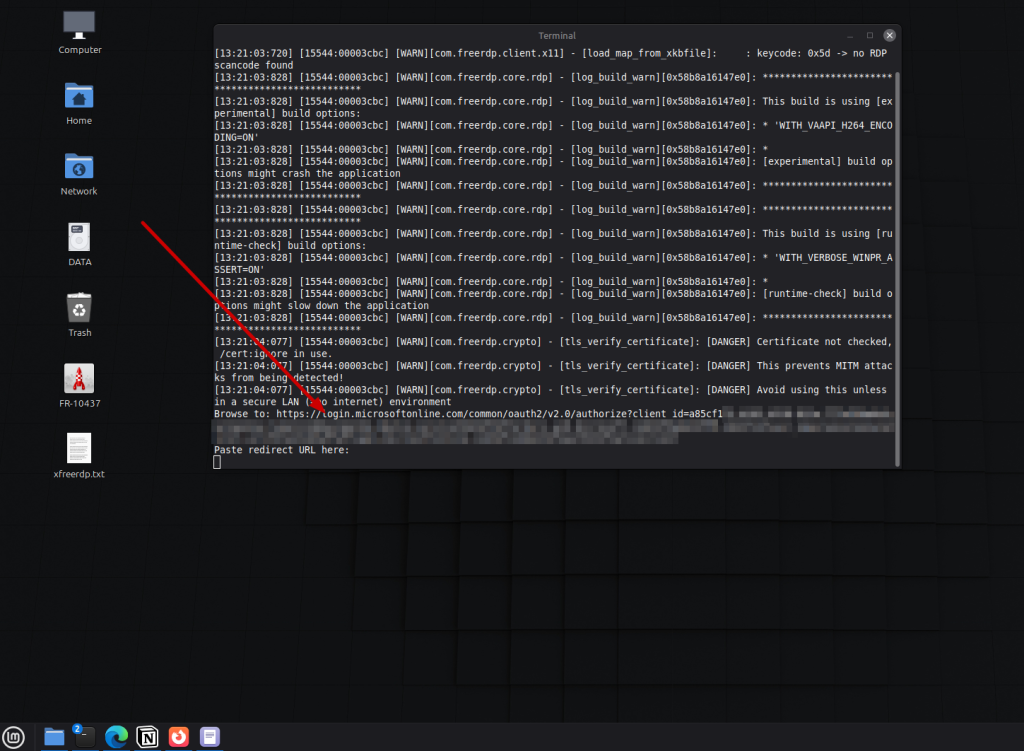
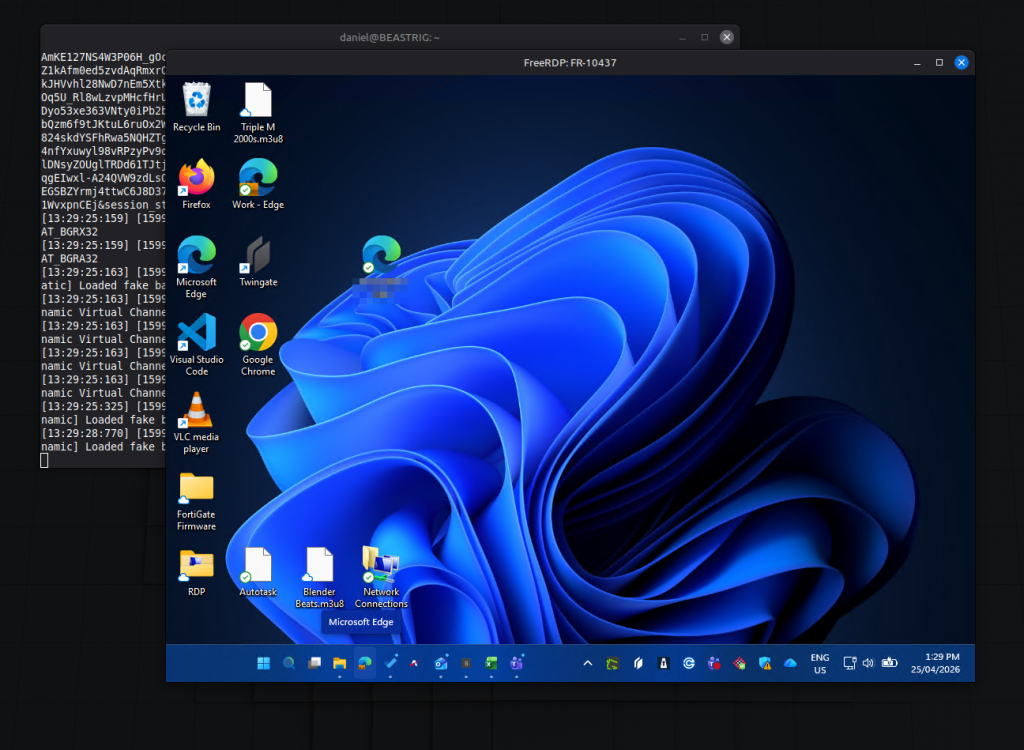
When you run the command you will be provided with a URL that you need to click on. When it’s launches, you sign in with the Cloud Account that’s on the remote device. In my case this was my work Microsoft 365 account.
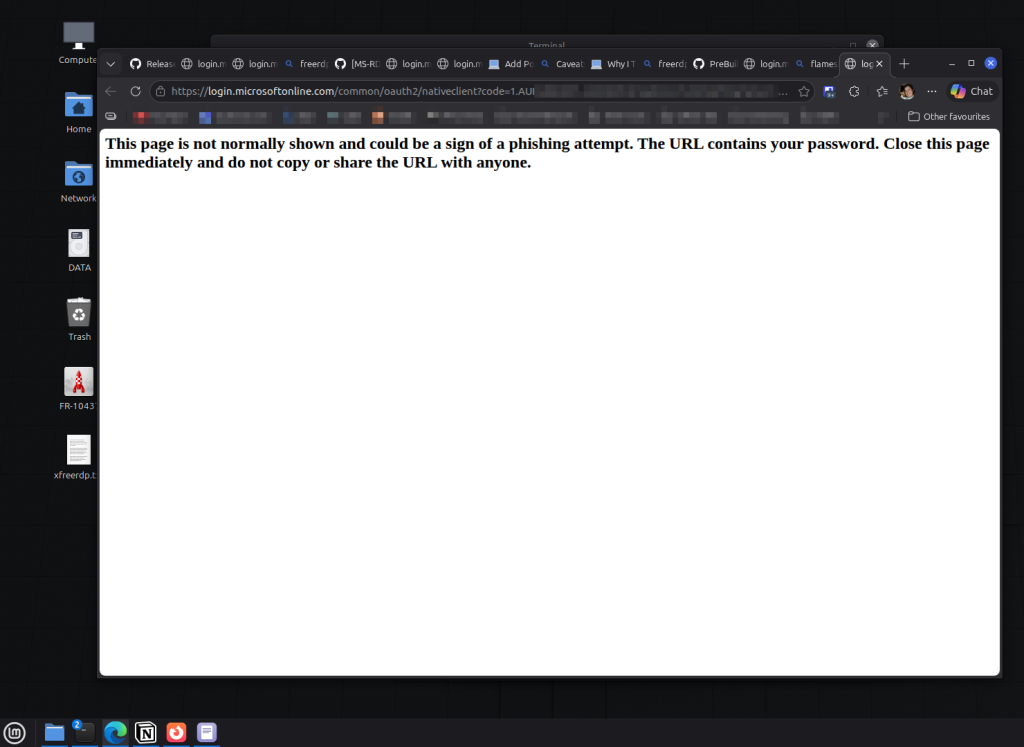
Once you sign-in, you will be provided with a URL that you need to copy. I’ve had to do this quick as there seems to be a redirection that moves on very quickly.
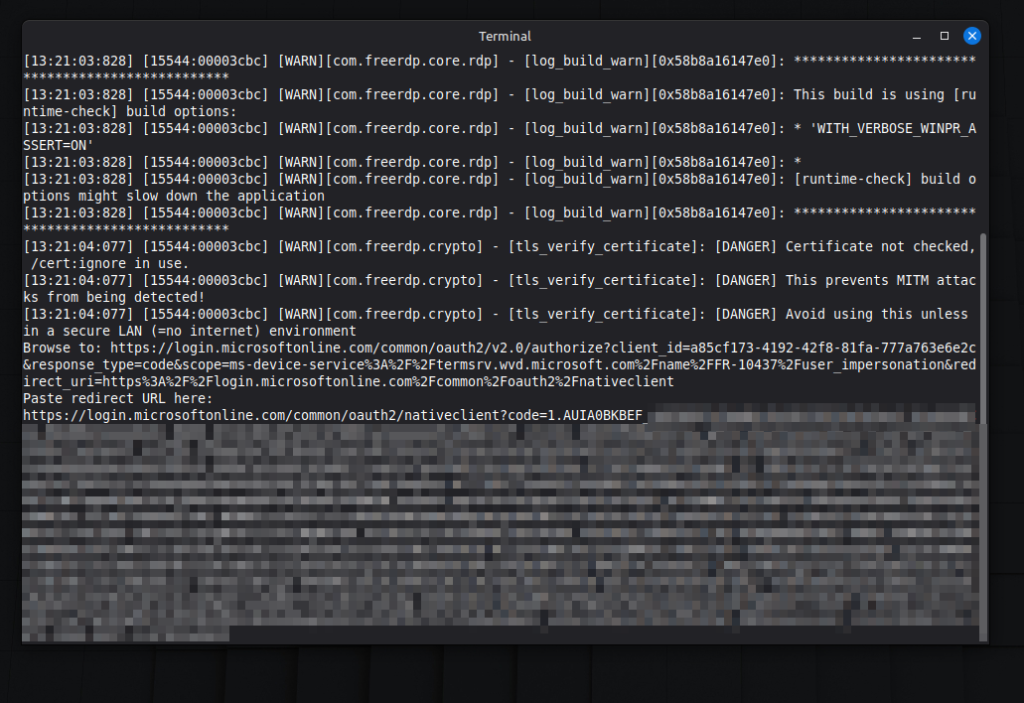
After you’ve copied the URL from the browser, paste it back into the Terminal.
Conclusion
I’m very happy that this is working to this extent and makes me happy for my future transition to Linux. This was really the last piece of the puzzle that was consistently holding me back from making me full switch.